
Download Raspberry Pi OS – Linux, System Tools, Raspberry Pi
Overview
Raspberry Pi OS is the official operating system developed and maintained by the Raspberry Pi Foundation, designed specifically to power Raspberry Pi hardware. As a core component of the Raspberry Pi ecosystem, it enables users to transform the compact single-board computer into a fully functional computing device. The operating system supports a wide range of applications, from educational projects and home automation to media centers and lightweight servers. Its primary purpose is to provide a stable, efficient, and accessible platform for developers, educators, hobbyists, and students who rely on the Raspberry Pi for learning, experimentation, and practical computing tasks.
The foundation behind Raspberry Pi OS is committed to open-source principles, promoting digital literacy and hands-on computing education worldwide. While the developer is not a traditional mobile app publisher, the software plays a pivotal role in the broader technology landscape by supporting millions of users across schools, makerspaces, and personal projects. Real-world use cases include setting up home servers, running Python scripts for robotics, building digital signage, and serving as a base for IoT applications. The operating system is not intended for smartphones or tablets but is essential for the Raspberry Pi’s functionality.
Although the developer did not provide additional technical details about the underlying architecture, the system is optimized for ARM-based processors, which are central to Raspberry Pi’s design. The release date of October 10, 2023, indicates a recent update cycle, suggesting ongoing support and improvements. The availability of the OS as a free download underscores its mission to democratize access to computing resources.
Key Features & Functionality
- Optimized for ARM Architecture – Built specifically for Raspberry Pi’s ARM processors, ensuring maximum performance and compatibility with the hardware.
- Preloaded Development Tools – Includes Python, Scratch, and other programming environments ideal for learning and prototyping.
- Lightweight Desktop Environment – Uses a minimalistic desktop interface that runs efficiently even on older Raspberry Pi models.
- Comprehensive Package Management – Supports apt for easy installation and updates of software packages from official repositories.
- Support for Multiple Raspberry Pi Models – Compatible with various Raspberry Pi variants, including Pi 4, Pi 3, and Pi Zero.
Each feature is tailored to the needs of its target users. For example, educators can use the preinstalled Scratch environment to teach programming concepts to beginners. Developers benefit from the built-in Python support when building automation scripts or IoT solutions.
The lightweight desktop ensures smooth operation on devices with limited RAM, making it suitable for older or low-cost models. The package manager streamlines software installation, reducing setup time for complex projects. These capabilities make Raspberry Pi OS a versatile foundation for both learning and real-world applications.
Interface, UX & Performance
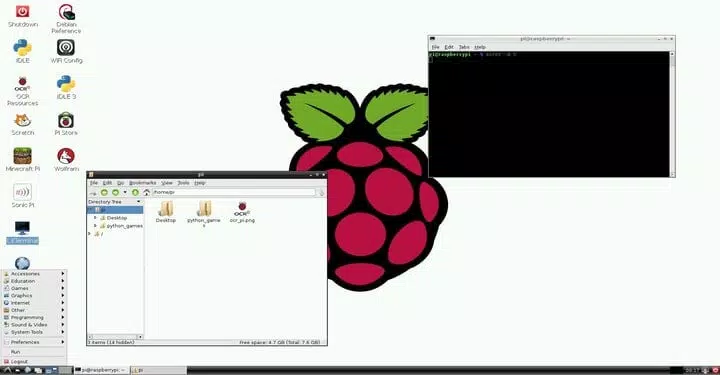
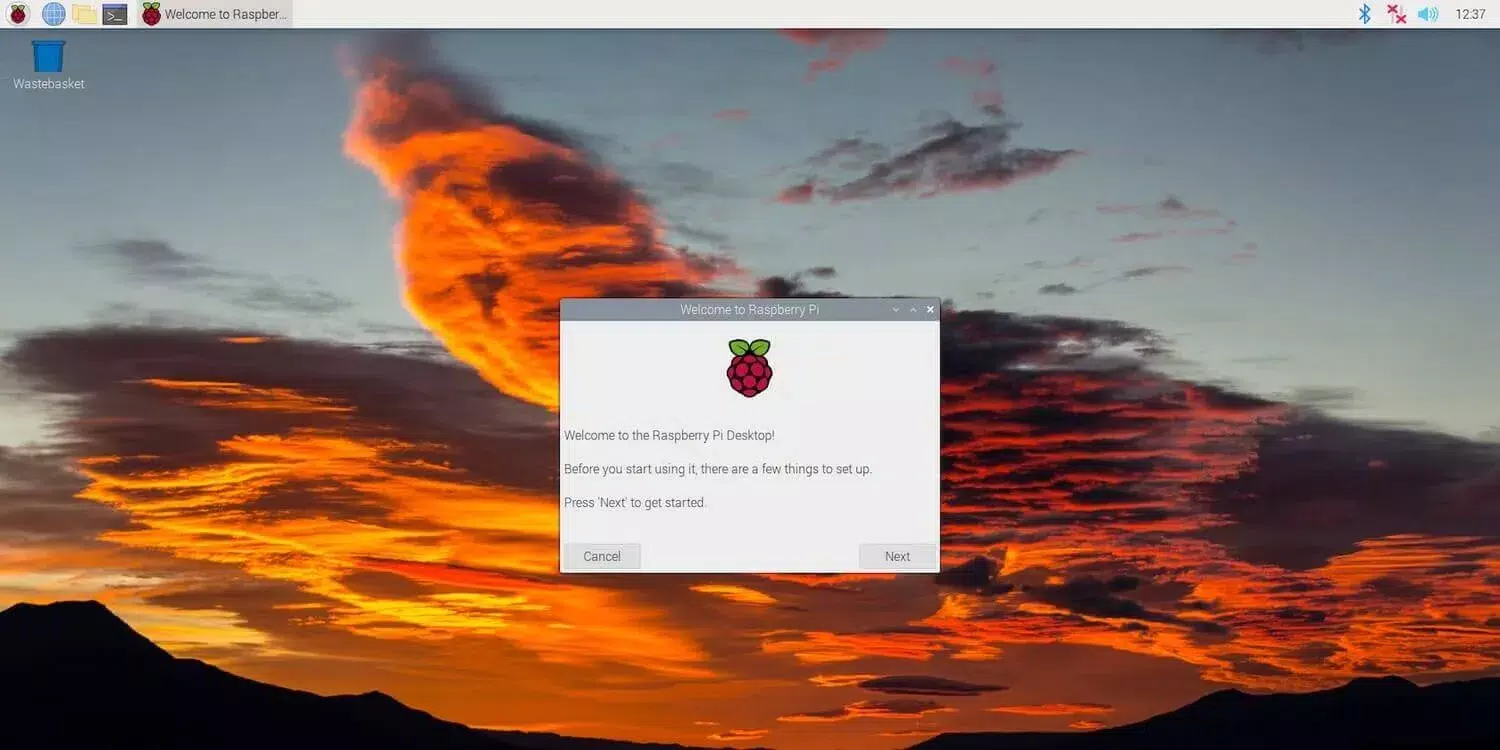
The user interface of Raspberry Pi OS is designed with simplicity and efficiency in mind. It features a clean, minimal desktop environment that prioritizes functionality over visual flair. Navigation is straightforward, with a taskbar at the top, a menu for applications, and a file manager for accessing system files. The layout is intuitive for users familiar with desktop operating systems, reducing the learning curve for newcomers.
Performance is optimized for the Raspberry Pi’s hardware constraints. Although the developer did not list formal performance metrics, the OS is engineered to run smoothly on devices with as little as 512MB of RAM. Responsiveness is maintained through efficient resource management and background process control. On newer models like the Raspberry Pi 4, users can expect faster boot times and fluid multitasking. On older models, the system remains usable, though some graphical effects may be limited.
Stability is a key focus, with regular updates ensuring security patches and bug fixes are applied. The interface remains consistent across versions, contributing to a predictable user experience. While the OS is not designed for mobile platforms, its interface is well-suited for use with a keyboard, mouse, and monitor—standard peripherals for Raspberry Pi setups. The overall UX is professional and purpose-driven, aligning with the needs of developers and educators.
Platform Compatibility & Technical Requirements
Raspberry Pi OS is designed exclusively for Linux-based systems, specifically targeting the Raspberry Pi family of single-board computers. The platform is not available for Android or iOS devices, as it is not intended for mobile use. The software version released on October 10, 2023, reflects a current update, indicating active development and maintenance.
The file size of 1.4 GB is typical for a full-featured Linux distribution with a desktop environment. This size accommodates the base system, default applications, and libraries needed for immediate usability. The developer did not specify minimum OS requirements or hardware specifications beyond compatibility with Raspberry Pi models, but the OS is known to support a wide range of devices from the Pi Zero to the Pi 4.
Users must prepare a microSD card with at least 16 GB capacity to install the OS, as recommended by the Raspberry Pi Foundation. The installation process is typically handled through the Raspberry Pi Imager tool, which is available for Windows, macOS, and Linux systems. This ensures broad accessibility across different computing environments.
Pros and Cons
Pros
- Officially supported by the Raspberry Pi Foundation, ensuring reliability and long-term support.
- Free to download and use, promoting accessibility for students and educators.
- Optimized for ARM-based Raspberry Pi hardware, delivering excellent performance and stability.
- Includes essential tools for programming, learning, and system administration.
- Regular updates and security patches are provided by the development team.
Cons
- Not compatible with smartphones or tablets; designed solely for Raspberry Pi devices.
- Requires a microSD card and external peripherals (keyboard, monitor) for full functionality.
- May be too basic for users seeking advanced desktop features or modern GUIs.
- Installation process requires additional tools like Raspberry Pi Imager.
- Not suitable for users unfamiliar with Linux or command-line interfaces.
FAQ
Is Raspberry Pi OS free to download and use?
Yes, Raspberry Pi OS is completely free to download and use. It is distributed under an open-source license by the Raspberry Pi Foundation.
Can I install Raspberry Pi OS on my smartphone?
No, Raspberry Pi OS is not designed for smartphones or mobile operating systems. It is intended exclusively for Raspberry Pi single-board computers.
What hardware do I need to run Raspberry Pi OS?
You need a Raspberry Pi device, a microSD card (minimum 16 GB), a power supply, and standard peripherals like a keyboard and monitor to use the OS.
How often is Raspberry Pi OS updated?
The Raspberry Pi Foundation releases regular updates, including security patches and feature improvements. The latest version was published on October 10, 2023.
Is Raspberry Pi OS secure?
Yes, Raspberry Pi OS receives ongoing security updates. The foundation prioritizes system integrity and recommends users keep their installations up to date.
Final Thoughts
Raspberry Pi OS stands as a cornerstone of the Raspberry Pi ecosystem, offering a powerful, free, and reliable operating system tailored to the unique needs of the platform. It excels in education, development, and DIY projects, providing users with a stable foundation to explore computing without financial or technical barriers. The interface is functional and efficient, prioritizing usability over flashy design, while performance remains consistent across various Raspberry Pi models.
Although it is not a mobile app, its role in enabling innovation and learning is invaluable. Whether you're a student learning to code, a teacher running a classroom lab, or a hobbyist building a smart home system, Raspberry Pi OS delivers real-world value. The combination of official support, open-source transparency, and continuous updates makes it a trusted choice in the maker community.
Download Raspberry Pi OS now


